Best AI Lip Sync Tools in 2026: Complete Comparison Guide
Highlights
- Three major AI lip sync models compared: Creatify Aurora, Omnihuman 1.5, and WAN 2.6
- Creatify Aurora offers the best balance of speed, cost, and expression quality for most users
- Omnihuman 1.5 delivers the most natural facial movements with excellent lip sync accuracy
- WAN 2.6 provides highest video quality but requires advanced prompt engineering skills
- Each tool has unique strengths - choose based on your specific use case and expertise level
- Resolution options vary significantly: 720p for Creatify, up to 1080p for WAN 2.6
- Understanding the differences can save you hours of frustration and credits
Table of Contents
- Introduction
- Understanding AI Lip Sync Technology
- The Three Major Players
- Creatify Aurora: Best All-Rounder
- Omnihuman 1.5: Most Natural Results
- WAN 2.6: Maximum Quality Control
- Head-to-Head Comparison
- Use Case Recommendations
- How to Get Started
- FAQs
Introduction
How do you realistically lip sync any audio with any image, and which model should you use? This is one of the most common questions content creators face when diving into AI-powered video generation in 2026.
At CelebrityAI, we’ve tested these tools extensively to help you make the best choice for your content creation needs.
The truth is, not all AI lip sync tools are created equal. Each model has its unique strengths and weaknesses - some excel at natural facial expressions, while others offer higher resolution but require more technical expertise to use effectively. Whether you’re a YouTuber creating content, a marketer producing promotional videos, or a social media manager handling multiple accounts, choosing the right tool can significantly impact your workflow efficiency and final video quality.
In this comprehensive guide, we’ll break down the three most popular AI lip sync models currently available: Creatify Aurora, Omnihuman 1.5, and WAN 2.6. We’ll examine their features, compare their performance, and help you make an informed decision for your next video project.
The AI lip sync technology has evolved rapidly over the past year, with new models and improvements being released regularly. What worked best in 2025 may not be the optimal choice today. This guide is specifically updated for 2026, taking into account the latest developments and improvements in each platform.
If you’re looking to try AI lip sync technology yourself, check out CelebrityAI’s AI Lip Sync feature to create amazing talking avatar videos.
Understanding AI Lip Sync Technology
AI lip sync technology allows you to take any static image and animate it to match audio input. Whether you want to create talking avatars for marketing videos, educational content, or social media posts, understanding the differences between these tools can save you hours of frustration and help you achieve better results.
The technology works by analyzing the audio input and generating corresponding mouth movements that match the speech patterns, timing, and emotional tone of the audio. This process involves complex machine learning models that have been trained on thousands of hours of video footage to understand how human mouths move during speech.
At CelebrityAI, we specialize in helping creators bring their static images to life with AI technology. Our platform offers easy-to-use lip sync tools that work with any image.
The key factors to consider when choosing an AI lip sync tool include:
Lip sync accuracy refers to how well the mouth movements match the audio. A tool with high lip sync accuracy will ensure that the character’s mouth movements precisely correspond to each syllable and sound in the audio track. This is particularly important for professional content where accuracy matters.
Facial expression encompasses the naturalness of expressions and emotional range. Some tools not only move the lips but also animate other facial features to convey emotion, making the result more engaging and realistic. The difference between good and excellent facial expression can be the deciding factor for content that needs to connect with audiences.
Video length is crucial for different use cases. Some tools support only short clips of 5-15 seconds, while others can handle several minutes. If you need to create longer content, this limitation can be a significant factor in your decision.
Resolution determines the final video quality. Higher resolution means sharper, more professional-looking output, but often comes with longer processing times and higher costs. Consider where your content will be displayed - social media may not need 1080p, but professional presentations certainly do.
Generation speed affects your workflow efficiency. If you’re creating content at scale, faster generation times can significantly impact your productivity. Some tools can produce results in minutes while others may take considerably longer.
Credit cost varies significantly between platforms. Understanding the pricing structure and how many credits each generation consumes helps you budget effectively, especially if you’re producing content regularly.
The Three Major Players
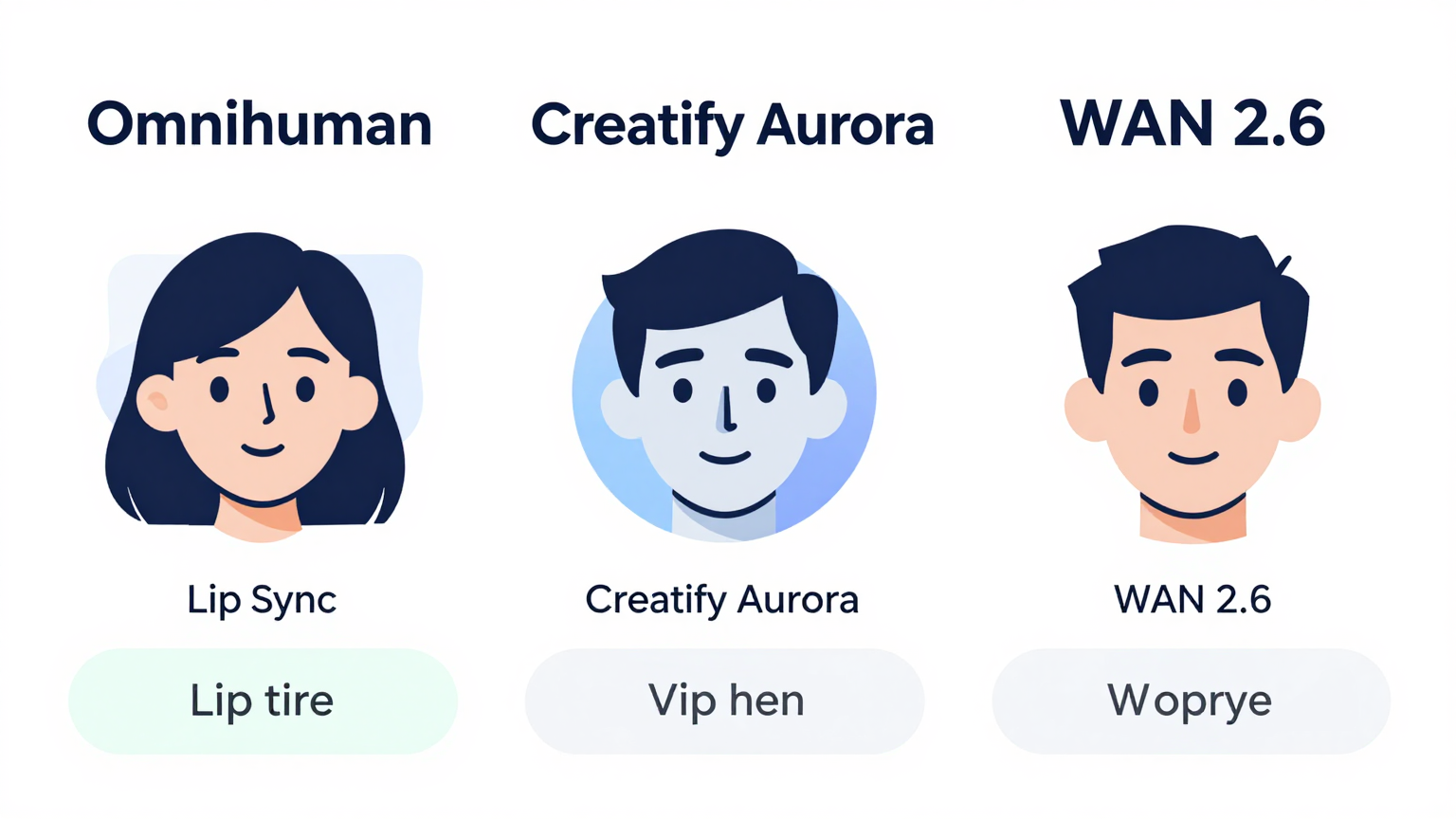
The AI lip sync market in 2026 is dominated by three major platforms, each with its distinct approach and target audience. Let’s examine each one in detail to understand what makes them unique and which use cases they best serve.
These platforms have emerged from intense competition in the AI video generation space, with each continuously improving their models based on user feedback and technological advancements. The differences between them go beyond simple feature comparisons - they represent fundamentally different approaches to solving the same problem.
At CelebrityAI, we offer our own AI lip sync solution that combines the best aspects of these technologies. Learn more about our AI video generation tools.
Creatify Aurora: Best All-Rounder

Creatify Aurora has emerged as the top choice for creators who need a balanced solution across all key metrics. Here’s what makes it stand out in the competitive AI lip sync landscape:
Key Strengths:
Creatify Aurora offers the best expression matching with nuanced dialogue delivery, making your AI-generated videos feel more natural and engaging. The model has been specifically trained to understand context and deliver appropriate emotional responses along with accurate lip movements. This means not only are the lips moving correctly, but the overall expression matches the tone of the audio.
The generation speed is notably the fastest among the three models tested. In our experience, Creatify Aurora consistently produces results in less time than its competitors, which is crucial for content creators working with tight deadlines or managing high-volume production schedules. This speed advantage doesn’t come at the cost of quality - the results remain professional and usable.
From a cost perspective, Creatify Aurora is the most credit-efficient option available. For creators on a budget or those producing content at scale, this can translate to significant savings over time. The lower credit consumption combined with faster generation times makes it an economically attractive option.
One of the standout features is support for longer video generation. Unlike competitors limited to 15-30 second clips, Creatify Aurora can handle substantially longer content, making it ideal for creators producing tutorials, extended presentations, or longer-form social media content.
The contextual hand movements feel natural and add another layer of realism to the generated videos. Rather than just moving the mouth, the model incorporates appropriate hand gestures that complement the speech, creating a more complete and believable result.
Weaknesses to Consider:
The primary limitation is the maximum resolution currently capped at 720p. While this is sufficient for most social media platforms and web content, professional applications requiring higher resolution will need additional processing through upscaling tools like Topaz.
Post-processing may be necessary for truly professional output, particularly when the content will be displayed on large screens or in high-quality presentations. The need for upscaling adds an extra step to your workflow.
Best Use Cases:
Creatify Aurora excels for social media managers who need to produce content quickly and efficiently. The fast turnaround time combined with reasonable quality makes it perfect for platforms like Instagram, TikTok, and YouTube Shorts where content volume matters more than absolute quality.
YouTubers creating talking head videos will find the tool particularly useful, especially for regular content where speed of production is important. The balance of quality and efficiency works well for channels producing frequent uploads.
Marketers producing product demonstrations and promotional content benefit from the tool’s ability to generate longer videos without excessive credit consumption, making it cost-effective for campaign content.
Omnihuman 1.5: Most Natural Results
Omnihuman 1.5 has established itself as the go-to choice when quality is the absolute priority. The model excels at creating highly realistic lip-synced videos with natural movements throughout the entire clip:
Key Strengths:
The facial movement and expression quality in Omnihuman 1.5 represents the current state of the art in AI lip sync technology. The model produces results that are remarkably close to real video footage, with subtle nuances that other tools miss. This includes natural blinking, eyebrow movements, and micro-expressions that add tremendous realism.
The consistent smile throughout videos is particularly noteworthy. Unlike other models where the expression may become static or unnatural over time, Omnihuman maintains appropriate facial engagement throughout the entire clip. This is especially valuable for content where the speaker needs to appear engaged and personable.
Lip sync accuracy with Omnihuman is exceptional. The model handles complex audio with multiple speakers, background noise, and varied speech patterns better than alternatives. This makes it suitable for content with varied audio quality where other tools might struggle.
The video length support extends up to 30 seconds or the full length of your audio input, providing flexibility for different content needs. This makes it versatile for both short social clips and longer form content.
The rich emotional range sets Omnihuman apart. The model doesn’t just sync lips - it conveys the emotional content of the audio, making the result feel authentic and connected.
Weaknesses to Consider:
Generation time is the longest among the three models. If speed is critical to your workflow, this could be a significant drawback. The trade-off for quality is time, and Omnihuman takes that trade-off seriously.
Credit consumption is higher than alternatives. The advanced processing required for superior results costs more in credits, which is an important consideration for high-volume creators.
Multiple prompts may be required to achieve optimal results. Unlike more forgiving tools, Omnihuman often needs experimentation with prompts to get exactly what you’re looking for. This adds to the learning curve and may require more iteration.
Best Use Cases:
Professional video production where quality cannot be compromised benefits most from Omnihuman. Client work, high-profile marketing campaigns, and professional presentations all warrant the extra investment in quality.
Short-form content requiring maximum realism works well with Omnihuman. Despite the generation time, the end result often requires less revision and post-processing.
Projects where expression authenticity is critical - such as educational content, emotional storytelling, or personal messaging - will benefit most from the model’s superior expression handling.
WAN 2.6: Maximum Quality Control
WAN 2.6 occupies a unique position in the market as the choice for advanced users who need complete creative control and the highest possible video quality:
Key Strengths:
The video quality from WAN 2.6 is exceptional, with crisp, clear output that rivals professional video production. The level of detail and sharpness exceeds other options significantly, making this the clear choice for content where visual quality is paramount.
Creative freedom is essentially unlimited with WAN 2.6. The model provides unprecedented control over actions, camera angles, and scene composition. Advanced users can direct precise movements and achieve exactly the result they envision.
For applications requiring 1080p output, WAN 2.6 is the only option among the three that natively supports this resolution. This eliminates the need for additional upscaling steps and produces immediately usable high-quality output.
The control extends to every aspect of the generated video, from the specific movements to the lighting and camera angles. This level of control is unprecedented in AI lip sync technology.
Weaknesses to Consider:
The learning curve is steep. WAN 2.6 requires significant experimentation and understanding of prompt engineering to achieve good results. Beginners may find it frustratingly difficult to get acceptable output.
Prompt engineering becomes essential. To get decent results, you need to include specific prompts like “still continuous shot” to control the excessive movement that the model naturally produces. Without proper prompts, results can be unpredictable.
Lip sync accuracy is not as precise as alternatives. Despite the excellent visual quality, the mouth movements may not perfectly match the audio in all cases, requiring more careful audio selection and potential editing.
Body and camera movement can be excessive and difficult to control. While this can be a strength for creative content, it often requires additional prompting to achieve more controlled results.
Best Use Cases:
Advanced users comfortable with prompt engineering will get the most from WAN 2.6. The learning investment pays dividends in the quality and control available.
Projects requiring 1080p resolution must use WAN 2.6 since other options don’t support this quality level natively.
Creative directors who need full control over every aspect of the output will appreciate the unprecedented flexibility, even if it requires more expertise to use effectively.
Head-to-Head Comparison
| Feature | Creatify Aurora | Omnihuman 1.5 | WAN 2.6 |
|---|---|---|---|
| Max Resolution | 720p | Up to 30s duration | 1080p |
| Video Length | Longest (several minutes) | Up to 30 seconds | 5-15 seconds |
| Generation Speed | Fastest | Slowest | Medium |
| Credit Cost | Lowest | Highest | Medium |
| Expression Quality | Good | Excellent | Good |
| Ease of Use | Easiest | Medium | Hardest |
| Upscaling Needed | Yes (to 1080p+) | Optional | No |
| Learning Curve | Gentle | Moderate | Steep |
| Creative Control | Limited | Medium | Maximum |
This comparison reveals why the choice depends heavily on your specific needs, expertise level, and use case. There’s no universally “best” tool - only the best tool for your particular situation.
At CelebrityAI, we offer a simplified experience that combines the best aspects of these tools. Try our AI Lip Sync tool today and see the difference.
Use Case Recommendations
For Beginners:
Start with Creatify Aurora if you’re new to AI lip sync. The intuitive interface and lower credit cost make it perfect for learning the ropes while still producing professional-looking results. The forgiving nature of the tool means you’ll get acceptable results without extensive experimentation.
Alternatively, you can try CelebrityAI’s beginner-friendly lip sync tool which offers an easy-to-use interface perfect for newcomers.
For Professional Content:
Choose Omnihuman 1.5 when quality is your top priority. The natural expressions and consistent output make it ideal for client work and professional projects where results must be excellent on the first try. The higher cost is justified by reduced revision time.
For Advanced Creators:
Go with WAN 2.6 if you have experience with prompt engineering and need the highest possible video resolution. The creative freedom is unmatched, but be prepared to invest time in learning the system.
For Different Content Types:
- Long-form content: Creatify Aurora - best balance of length and quality
- Short social media clips: Omnihuman 1.5 - optimal quality for brief content
- High-resolution marketing: WAN 2.6 - only option for 1080p
- Low-fi aesthetic content: Creatify Aurora - works well for this style
- Educational content: Omnihuman 1.5 - expression quality matters most
How to Get Started
Ready to create your first AI lip synced video? Here’s a quick start guide:
Step 1: Choose Your Platform
Most AI lip sync tools are available through dedicated platforms like 11 Labs, Creatify, or other AI video platforms. Research each option and sign up for an account that matches your needs.
At CelebrityAI, we offer a streamlined lip sync experience. Get started with our AI Lip Sync feature today.
Step 2: Prepare Your Audio
Record or generate the speech you want the image to sync with. Higher quality audio produces better results. Ensure the audio is clean with minimal background noise for optimal lip sync accuracy.
Step 3: Select or Upload Your Image
Use a high-quality portrait photo for best results. The image should be clear, well-lit, and facing forward. Professional headshots work better than casual photos.
CelebrityAI allows you to upload any image and create stunning talking avatar videos. Try it now at https://celebrityai.club/ai-lip-sync.
Step 4: Choose Your Model
Based on your needs (length, quality, cost), select the appropriate model. Start with default settings and adjust based on initial results.
Step 5: Add Prompts
For WAN 2.6 specifically, use “still continuous shot” to control movement. Other models may benefit from additional descriptive prompts.
Step 6: Generate and Upscale
If using Creatify Aurora at 720p, consider upscaling using Topaz for enhanced resolution. Note that Topaz only accepts 30-second clips at a time.
Step 7: Review and Edit
Check for any sync issues and make adjustments as needed. Some post-production refinement is normal and expected.
Video Tutorial
Check out this comprehensive tutorial on AI lip sync tools:
This video provides a detailed hands-on demonstration of these three AI lip sync models, showing side-by-side comparisons and practical tips for getting the best results from each tool.
FAQs
What is the best AI lip sync tool for beginners in 2026?
Creatify Aurora is the best choice for beginners due to its user-friendly interface, faster generation times, and lower credit costs. The learning curve is much gentler compared to other models, and you’ll be able to produce acceptable results quickly. The tool provides good defaults that work well without extensive customization.
Alternatively, CelebrityAI offers one of the easiest onboarding experiences for beginners. Our platform is designed with simplicity in mind, making it perfect for those just starting with AI lip sync technology.
Which AI lip sync model produces the most natural results?
Omnihuman 1.5 produces the most natural-looking results with the best facial expression matching. It maintains consistent smiles throughout the video and delivers excellent lip sync accuracy that closely mimics real human speech patterns. The advanced expression handling makes it stand out from competitors.
Can I get 1080p video from AI lip sync tools?
Yes, but it depends on the model. WAN 2.6 natively supports 1080p output without any additional processing. For Creatify Aurora, you’ll need to upscale using tools like Topaz, which only accepts 30-second clips at a time. Omnihuman falls in between, offering decent quality that may need minor upscaling for professional use.
How much do AI lip sync tools cost in 2026?
Costs vary significantly by platform and usage volume. Creatify Aurora is the most cost-effective option with the lowest credit consumption per generation. Omnihuman tends to be the most expensive due to its advanced processing requirements. Most platforms offer free trials or credit packages so you can test before committing.
At CelebrityAI, we offer competitive pricing with flexible plans to suit different needs. Check out our pricing page for current offers.
Do I need technical skills to use AI lip sync tools?
Basic usage doesn’t require technical skills, especially with Creatify Aurora’s intuitive interface. However, for optimal results with WAN 2.6, some understanding of prompt engineering is highly beneficial. Omnihuman falls in the middle - easier than WAN 2.6 but may require some experimentation.
What’s the maximum video length I can create?
Creatify Aurora supports the longest video lengths, making it ideal for extended content. Omnihuman is limited to 30 seconds or your audio length, whichever is shorter. WAN 2.6 offers 5, 10, or 15-second options only, but at the highest quality level.
Which tool is best for social media content?
For social media content in 2026, we recommend Creatify Aurora for most users due to its balance of speed, quality, and cost. If maximum quality is required and generation time isn’t a concern, Omnihuman 1.5 is excellent. Consider your posting schedule and volume when making the final decision.
CelebrityAI is specifically optimized for social media content, making it a great choice for Instagram, TikTok, and YouTube creators.
Conclusion
Choosing the right AI lip sync tool ultimately depends on your specific needs, budget, and technical expertise. Whether you prioritize ease of use, video quality, or creative control, there’s a perfect model for your project in 2026.
For most creators, we recommend starting with Creatify Aurora for its balance of quality, speed, and accessibility. Once you’ve established your workflow and understand your specific requirements, you can explore Omnihuman 1.5 or WAN 2.6 for specialized needs.
The AI lip sync technology continues to evolve rapidly, with new improvements and features being released regularly. Stay updated with the latest developments to ensure you’re always using the best tools available for your content creation needs.
At CelebrityAI, we’re committed to staying at the forefront of AI lip sync technology. Follow our blog for the latest updates and guides.
Ready to Create Your First AI Lip Sync Video?
Start exploring these AI lip sync tools today and transform static images into engaging video content. Remember to consider your specific use case - whether it’s long-form YouTube content, quick social media clips, or high-resolution marketing materials.
Try CelebrityAI’s Lip Sync Tool - Get started with our easy-to-use AI lip sync platform today!
Have questions about AI lip sync tools? Drop them in the comments below! And don’t forget to subscribe for more AI video creation tips and tutorials.
If you found this guide helpful, share it with other content creators who might benefit from understanding the differences between these AI lip sync tools.
This article was written by CelebrityAI - Your trusted source for AI video generation tools. Visit https://celebrityai.club to learn more.